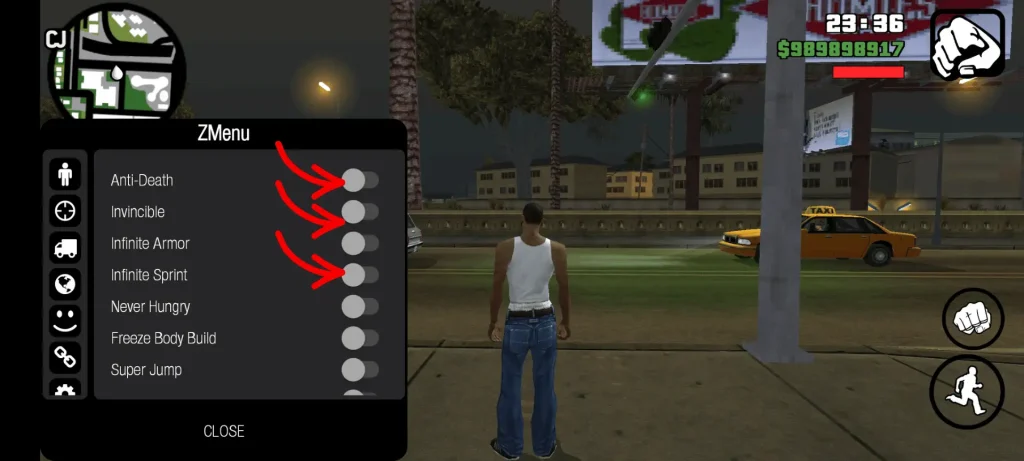
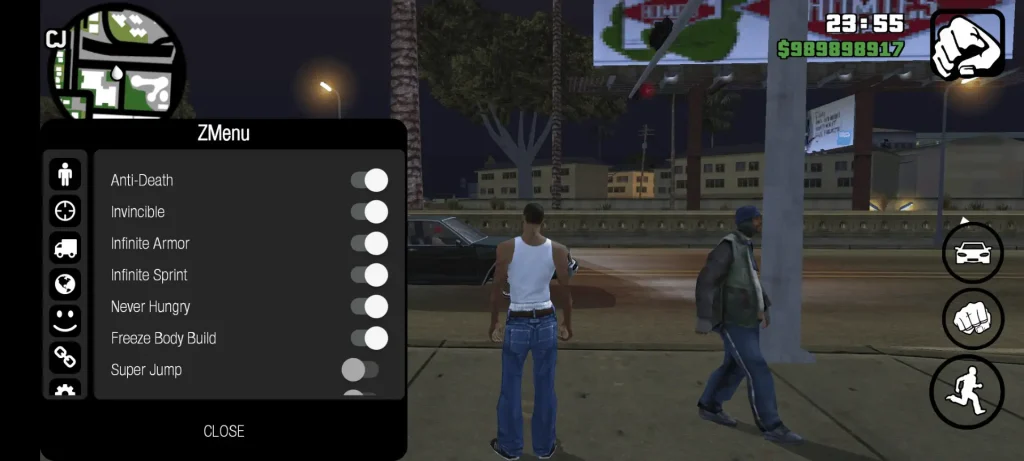
The embedded CLEO Mod Menu transforms GTA San Andreas on Android into the ultimate sandbox playground. With a single screen gesture, you can spawn luxury sports cars, summon military helicopters, toggle god mode invincibility, teleport to any city coordinate, and grant Carl Johnson infinite firepower.
However, many mobile gamers struggle to open the menu because the touch gesture requires precise positioning, or they attempt to open it during game states where the script engine is locked. This guide breaks down the exact swipe technique, navigation controls, and fixes for unresponsive touch inputs.
What is the CLEO Mod Menu? (Core Capabilities)
CLEO is a custom native library injection engine adapted for Android. It allows compiled scripts (.csa and .csi) to interact directly with the RenderWare game memory without modifying base game code. The built-in mod menu provides:
The Exact Touch Swipe Gesture Guide
The most common reason players cannot open the menu is swiping from the wrong screen coordinate or moving too slowly. Follow this physical finger technique:
- Make sure Carl Johnson is standing stationary on foot on solid ground.
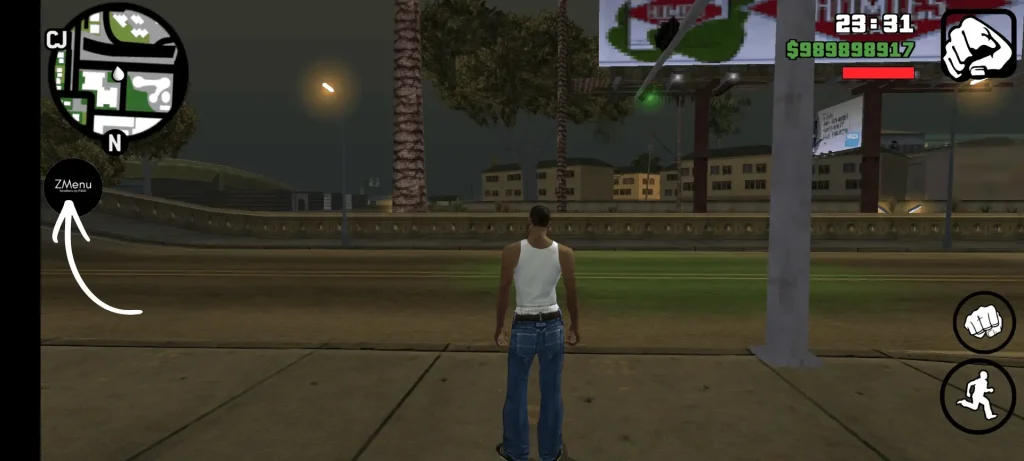
- Place the flat pad of your thumb at the top-center of your phone screen, right between CJ's weapon icon and the health bar (around 10% down from the top edge).
- In one swift, continuous motion, drag your thumb vertically downward to the dead center of your display.
- Release your thumb immediately. The game will pause and display the dark semi-transparent CLEO overlay menu with yellow and green text.
Note: Do not swipe from the extreme notification bar edge, as that will trigger Android's system status drawer instead. Start your swipe slightly inside the game viewport.
Situations Where the Game Engine Blocks CLEO Menu
The game engine actively suspends user interface script calls during specific gameplay states. If you swipe during these conditions, nothing will happen:
- Active Story Cutscenes: Script hooks are frozen while dialogue animations run.
- Underwater Diving or Swimming: Touch gestures are locked to swimming strokes.
- Driving at Top Speed: High physics thread loads can cause the swipe hook to register as a camera pan instead of a menu trigger. Pull over and come to a complete stop before swiping.
- Interior Door Transitions: The black fade between entering buildings and safehouses locks scripts for 2 to 3 seconds.
- During Wasted or Busted Sequences: You cannot trigger CLEO while CJ is collapsing.
How to Navigate and Select Options in the CLEO Menu
Once the CLEO overlay appears, the standard movement joystick vanishes. Use these touch zones to navigate:
| Touch Zone | Physical Action | Menu Command |
|---|---|---|
| Top Area of Screen | Tap upper third of display | Scroll Up Selection |
| Bottom Area of Screen | Tap lower third of display | Scroll Down Selection |
| Center of Screen | Tap directly on the highlighted cheat name | Confirm and Activate Cheat |
| Left / Right Arrows | Tap on-screen arrow icons | Cycle Vehicle Models or Weapon Packs |
| Exit Button | Tap top-right corner [X] icon | Close Menu and Resume Gameplay |
Fixing Unresponsive Touch Swipes
If your swipe gesture consistently fails to open the menu, use these troubleshooting steps:
- Increase Touch Sensitivity: If you use a thick tempered glass screen protector, open your phone's Settings > Display and toggle on Touch Sensitivity (often called "Glove Mode" or "Screen Protector Sensitivity").
- Change In-Game Touch Controls: Go to Options > Redefine Controls in the GTA pause menu. Switching steering from "Analog" to "Buttons" frees up the center screen area from persistent touch listener locks.
- Disable Conflicting Floating Overlays: Screen recorders, game turbo toolbars (such as Samsung Game Booster or Xiaomi Game Turbo), and chat heads can consume touch events before they reach the game viewport. Close all floating overlays.
Safe Use of Custom CLEO Scripts (.csa and .csi Files)
You can install custom community scripts to add brand new gameplay mechanics:
- Script files must be placed in:
Internal Storage / Android / data / com.rockstargames.gtasa / .csafiles load automatically in the background without needing a menu entry..csifiles create an interactive entry inside the touch CLEO menu.- Warning: Never install more than 10 scripts simultaneously, as stacking outdated scripts can corrupt memory addresses and cause crash to desktop errors.
Frequently Asked Questions
What is the gesture to open the CLEO menu in GTA San Andreas Android?
Swipe your thumb straight down from the top-center of the screen to the center of the display while standing stationary on foot. The gesture should be swift and take less than one second.
Why won't my CLEO menu open when I swipe?
The most common reasons are swiping from too high off the display, attempting to swipe while driving at top speed, having a floating game overlay active, or using an unpatched APK build that lacks native 64-bit CLEO library support.
Can you open the CLEO menu while driving a car?
Yes, but your vehicle must come to a complete halt first. Swiping while the steering analog stick is active or while the car is in motion registers as a steering command or camera shift instead of a menu call.
Does activating CLEO cheats block 100% completion?
Activating vehicle spawners, health refills, and teleportation via CLEO does not disable mission scripts. However, saving your game while ped riot or aggressive pedestrian cheats are active can permanently break story mission progression.
Is our v2.11.311 APK build pre-installed with CLEO?
Yes. Our v2.11.311 package comes with the complete CLEO menu and script engine pre-installed and pre-calibrated for Android 14, 15, and 16, requiring zero manual script moving or root access.